📢 WhatsApp Channel Bio Generator
Create the perfect WhatsApp Channel Bio with AI — free & instant!
WhatsApp Channel Bio Generator – Create a Compelling Description That Makes People Subscribe to Your Channel
WhatsApp Channels is one of the newest and fastest growing features on the WhatsApp platform. Launched to give creators, brands, public figures, businesses, and organizations a way to broadcast content directly to a large audience through WhatsApp, Channels has quickly become a powerful tool for anyone who wants to reach people where they already spend most of their time — inside WhatsApp itself. Unlike regular WhatsApp groups where members can interact with each other, a WhatsApp Channel is a one-way broadcast tool where the channel admin shares updates, content, news, and information directly with subscribers who follow the channel. With WhatsApp Channels now available in over 150 countries and millions of channels already active on the platform, standing out from the crowd has never been more important. The first and most critical thing that determines whether someone subscribes to your channel or scrolls past it is your channel bio — the description that appears on your channel profile and tells potential subscribers exactly what your channel is about and why it is worth following. BratGeneratorFX’s free WhatsApp Channel Bio Generator uses artificial intelligence to create a powerful, clear, and compelling channel description that turns visitors into subscribers instantly.
What Is a WhatsApp Channel Bio Generator?
A WhatsApp Channel Bio Generator is a free online tool that uses artificial intelligence to write the perfect description for your WhatsApp Channel profile. WhatsApp allows up to 1024 characters for a channel description which gives you meaningful space to explain what your channel is about, who it is for, what kind of content subscribers can expect, and why following your channel is worth their while. Despite having this much space available, most channel admins either leave the description completely blank or write a single generic sentence that tells potential subscribers almost nothing useful. Both approaches severely limit channel growth because people do not subscribe to channels they do not understand. BratGeneratorFX’s WhatsApp Channel Bio Generator solves this problem by generating a well-structured, informative, and genuinely persuasive channel description that gives every potential subscriber exactly the information and motivation they need to hit that follow button.
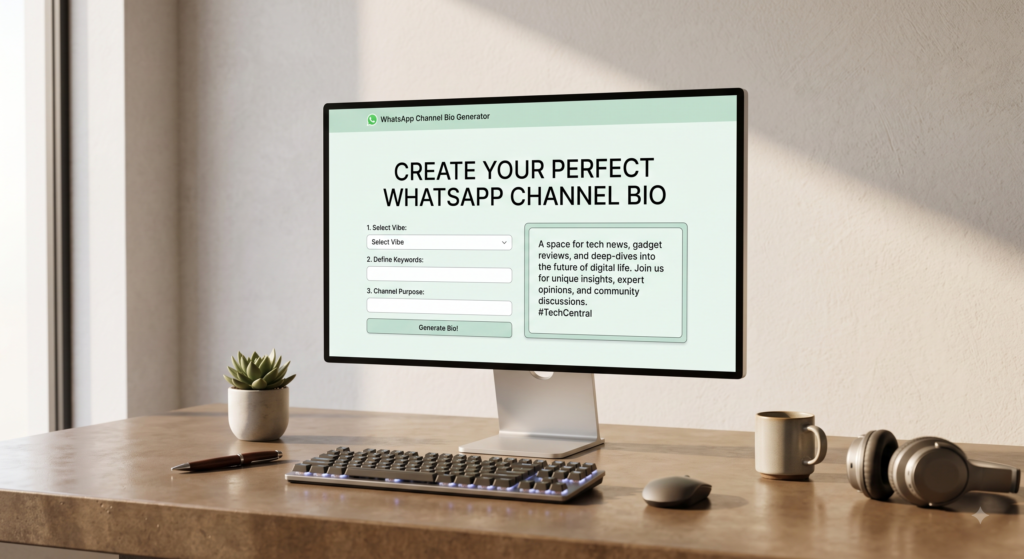
How to Use the WhatsApp Channel Bio Generator
Creating your perfect WhatsApp Channel bio is a simple and fast process that takes less than a minute.
Step 1 – Describe Your Channel
In the input field, write a short description of what your WhatsApp Channel is about. Include your channel’s topic or niche, the type of content you share, how often you post, and who your target audience is. You could write something like “daily Islamic reminders and Quran verses for Muslims who want to stay connected to their faith” or “breaking news and political updates for Pakistanis who want to stay informed” or “business tips and entrepreneurship motivation for young professionals building their careers.” The more clearly you describe your channel, the better and more targeted the generated bio will be.
Step 2 – Choose Your Style
Select from 10 different styles depending on the tone and personality that best matches your channel’s content and audience. A news channel needs a very different tone than a motivational channel, and a comedy channel needs a completely different voice than a religious channel.
Step 3 – Generate Your Bio
Click the Generate button and the AI will instantly produce multiple WhatsApp Channel bio options for you, each one structured to be informative, compelling, and persuasive for your specific type of channel.
Step 4 – Copy and Add to Your Channel
Pick the bio that best represents your channel, copy it, open WhatsApp, go to your Channel settings, tap Edit Channel Info, paste your new bio in the Description field, and save. Your channel profile is instantly more professional and more likely to convert visitors into subscribers.
10 Bio Styles for Every Type of WhatsApp Channel
WhatsApp Channels cover an enormous range of topics and serve an incredibly diverse range of audiences. A fashion channel needs a completely different bio than a religious channel, and a sports channel needs a different tone than an educational channel. That is why BratGeneratorFX’s WhatsApp Channel Bio Generator offers 10 distinct styles to match every type of channel and every type of audience.
Professional Style
For news channels, business channels, financial advice channels, career development channels, technology channels, and any WhatsApp Channel where credibility, authority, and trustworthiness are the most important qualities. These bios are structured, clear, and communicate expertise in a way that makes potential subscribers trust your channel immediately and feel confident that the content you share will be reliable and valuable.
Motivational Style
For self-improvement channels, entrepreneurship channels, fitness channels, success mindset channels, and any WhatsApp Channel whose primary purpose is to inspire subscribers to live better, work harder, and pursue their goals with greater determination. These bios radiate positive energy and attract exactly the kind of engaged and action-oriented audience that motivational channels thrive on.
Funny Style
For entertainment channels, meme channels, comedy channels, and any WhatsApp Channel where humor and laughter are the main offering. A funny channel bio immediately sets the tone and tells potential subscribers that following your channel is going to be the most enjoyable part of their day. It also makes your channel instantly more memorable in a sea of serious and generic channel descriptions.
Islamic Style
For channels sharing Quran verses, hadith, Islamic reminders, dua collections, Islamic history, and any content designed to strengthen the faith and nourish the spiritual life of Muslim subscribers. These bios are warm, sincere, and spiritually grounded, speaking directly to the hearts of Muslims who are looking for a daily connection to their deen through WhatsApp.
Aesthetic Style
For lifestyle channels, fashion channels, photography channels, travel channels, and any WhatsApp Channel that shares beautiful and visually inspiring content. These bios use soft and evocative language that creates an emotional impression and makes potential subscribers feel the channel’s vibe before they even see a single piece of content.
News and Information Style
For breaking news channels, current affairs channels, political update channels, local community news channels, and any WhatsApp Channel focused on keeping subscribers informed and up to date on the topics that matter to them. These bios are direct, clear, and authoritative, immediately communicating that your channel is a reliable and timely source of important information.
Educational Style
For channels sharing knowledge, tutorials, how-to content, study tips, exam preparation material, skill development resources, and any WhatsApp Channel designed to help subscribers learn something valuable on a consistent basis. These bios position your channel as a trusted learning resource that subscribers can depend on for accurate and useful information in their area of interest.
Attitude Style
For channels with a strong and distinctive point of view that are not afraid to say exactly what they think. Opinion channels, social commentary channels, sports debate channels, and any WhatsApp Channel with a bold and unapologetic voice will find the attitude style creates a bio that immediately attracts subscribers who appreciate directness and confidence.
Romantic Style
For relationship advice channels, love quotes channels, couple goals content channels, wedding inspiration channels, and any WhatsApp Channel centered around love, relationships, and the full emotional spectrum that comes with them. These bios are warm, heartfelt, and deeply human in a way that immediately connects with subscribers who are looking for content that speaks to their heart.
VIP Style
For established channels, celebrity channels, brand channels, premium content channels, and any WhatsApp Channel that wants its profile to project exclusivity, quality, and authority. These bios communicate premium value and make potential subscribers feel that following this channel puts them in access to something genuinely special and worth their attention.
Why Your WhatsApp Channel Bio Is the Most Important Part of Your Channel Profile
Most WhatsApp Channel admins spend all their time thinking about the content they are going to share and almost no time thinking about their channel bio. This is one of the most costly mistakes a channel admin can make and here is exactly why.
When someone discovers your WhatsApp Channel for the first time, whether through WhatsApp’s channel discovery feature, a shared link, a friend’s recommendation, or a search within the app, the very first thing they do is read your channel bio before deciding whether to subscribe. Your content has not had a chance to speak for itself yet. Your bio is carrying the entire weight of that first impression entirely on its own. A blank bio or a vague one-liner tells potential subscribers nothing meaningful about what they will receive if they follow your channel. In the absence of clear information, most people will simply move on to the next channel rather than taking a chance on something they do not understand. A well-written bio eliminates that uncertainty completely. It tells the visitor exactly what the channel is about, exactly what kind of content they will receive, exactly how often updates are shared, and exactly why following this channel is going to add value to their life. It removes every reason to hesitate and replaces uncertainty with confidence. Your channel bio also plays a role in how your channel is discovered within WhatsApp’s channel recommendation system. WhatsApp uses channel information including the bio to categorize channels and recommend them to users who might be interested in that type of content. A bio with clear and relevant keywords related to your channel’s topic increases the likelihood that your channel is recommended to the right audience, driving organic subscriber growth without any paid promotion.
WhatsApp Channel Bio Examples for Different Channel Types
Here are some examples of the type of channel bios BratGeneratorFX’s WhatsApp Channel Bio Generator creates for different types of channels.
For Islamic Reminder Channels
“Your daily connection to Allah. We share Quran verses, authentic hadith, Islamic reminders, and duas every single day to help you stay close to your deen no matter how busy life gets. Subscribe and let every notification be a reminder of what truly matters.”
For News and Current Affairs Channels
“Fast, accurate, and unbiased news coverage delivered directly to your WhatsApp. We cover breaking news, political developments, and the stories that matter most to you without the noise and without the spin. Subscribe for updates you can actually trust.”
For Motivational Channels
“Every day is a new opportunity and we are here to make sure you do not waste a single one. Daily motivation, success mindset content, and practical inspiration for anyone who is serious about building the life they deserve. Subscribe and start winning.”
For Business and Entrepreneurship Channels
“Practical business advice, entrepreneurship tips, marketing strategies, and financial wisdom for young professionals and business owners who are building something real. No fluff, no theory — just actionable content that actually moves the needle. Subscribe and grow.”
For Entertainment and Meme Channels
“Your daily dose of laughs, memes, viral content, and the kind of humor that makes even the worst day better. We post the funniest content on the internet so you do not have to go looking for it. Subscribe and let us handle your daily entertainment.”
For Cooking and Recipe Channels
“Delicious recipes, cooking tips, and kitchen inspiration delivered straight to your WhatsApp every day. From quick weeknight dinners to special occasion meals, every recipe we share is tested, simple, and absolutely worth making. Subscribe and cook better starting today.”
For Fashion and Lifestyle Channels
“Daily fashion inspiration, style tips, beauty advice, and lifestyle content for women who want to look and feel their best every single day. Curated with love and shared with care. Subscribe and elevate your everyday style effortlessly.”
For Sports Channels
“Live score updates, match analysis, player news, and the hottest sports debates delivered directly to your WhatsApp. Whether you are a cricket fanatic, a football lover, or a sports enthusiast of any kind, this is the channel you have been waiting for. Subscribe and never miss a moment.”
The Difference Between a WhatsApp Channel Bio and Other Platform Bios
Understanding what makes a great WhatsApp Channel bio different from channel descriptions and bios on other platforms helps you write something that truly works for the unique WhatsApp environment.
A YouTube channel description needs to be heavily keyword-optimized for search algorithms and structured to attract both subscribers and brand sponsors. An Instagram bio is a short and visually aligned personal brand statement. A LinkedIn profile is a professional narrative built for career advancement. A WhatsApp Channel bio operates differently from all of these because WhatsApp is fundamentally a messaging platform built on personal trust and intimate communication. People are far more selective about what they allow into their WhatsApp than they are about what they follow on Instagram or subscribe to on YouTube, because WhatsApp notifications arrive directly in their personal messaging space. This means your WhatsApp Channel bio needs to work harder to earn trust and communicate genuine value than bios on almost any other platform. It needs to be clear, specific, and honest about exactly what subscribers will receive. It needs to make the reader feel that following your channel will genuinely enrich their WhatsApp experience rather than clutter it with content they do not care about. BratGeneratorFX’s WhatsApp Channel Bio Generator is built with this understanding at its core, creating bios that communicate trust, value, and genuine purpose in a way that feels completely at home on the WhatsApp platform.
Frequently Asked Questions
Is the WhatsApp Channel Bio Generator completely free?
Yes, completely free. No charges, no subscriptions, and no account registration required whatsoever. Open the page and start generating your channel bio immediately.
How long can a WhatsApp Channel bio be?
WhatsApp allows up to 1024 characters for a channel description. Our generator creates bios that make excellent use of this space without being unnecessarily long or padded with filler content.
Can I generate multiple bio options and compare them?
Absolutely. There is no limit on how many bios you can generate. Keep generating until you find the one that perfectly represents your channel and speaks most effectively to your target audience.
Will my channel bio be unique?
Yes. Every bio is generated based on the specific description of your channel that you provide. Since your channel and your description are unique, the bio generated will be unique to your channel.
Should I mention my posting frequency in the channel bio?
Yes, mentioning how often you post is highly recommended. It sets clear expectations for potential subscribers and makes them more likely to follow because they know what kind of content volume to expect from your channel.
Can I edit the generated bio before adding it to my channel?
Of course. The generated bio is your strong starting point. Feel free to add specific details about your channel, adjust any wording, or personalize it further before publishing it on your channel profile.
Does this tool work for both personal and brand WhatsApp Channels?
Yes, this tool works perfectly for all types of WhatsApp Channels including personal creator channels, brand channels, news channels, community channels, and business channels.
Does the tool work on mobile devices?
Yes, BratGeneratorFX’s WhatsApp Channel Bio Generator is fully mobile-friendly and works perfectly on all smartphones and tablets without any app download or installation needed.
Final Thoughts – Give Your WhatsApp Channel the Bio It Needs to Grow
Your WhatsApp Channel bio is the difference between a visitor subscribing and a visitor leaving. It is the one piece of content on your channel profile that has to work before any of your actual content gets a chance to prove itself. A blank bio or a generic description is silently costing your channel subscribers every single day. A powerful, clear, and compelling bio does the opposite — it builds trust, communicates value, and gives every person who discovers your channel a clear and convincing reason to hit that subscribe button right now. BratGeneratorFX’s free WhatsApp Channel Bio Generator gives you that powerful bio in seconds. With 10 unique styles covering everything from professional news channels to Islamic reminder channels to entertainment and lifestyle channels, there is a perfect bio for every channel and every audience. Use the generator above right now, create the channel bio your WhatsApp Channel deserves, and start turning every visitor into a loyal subscriber today.